
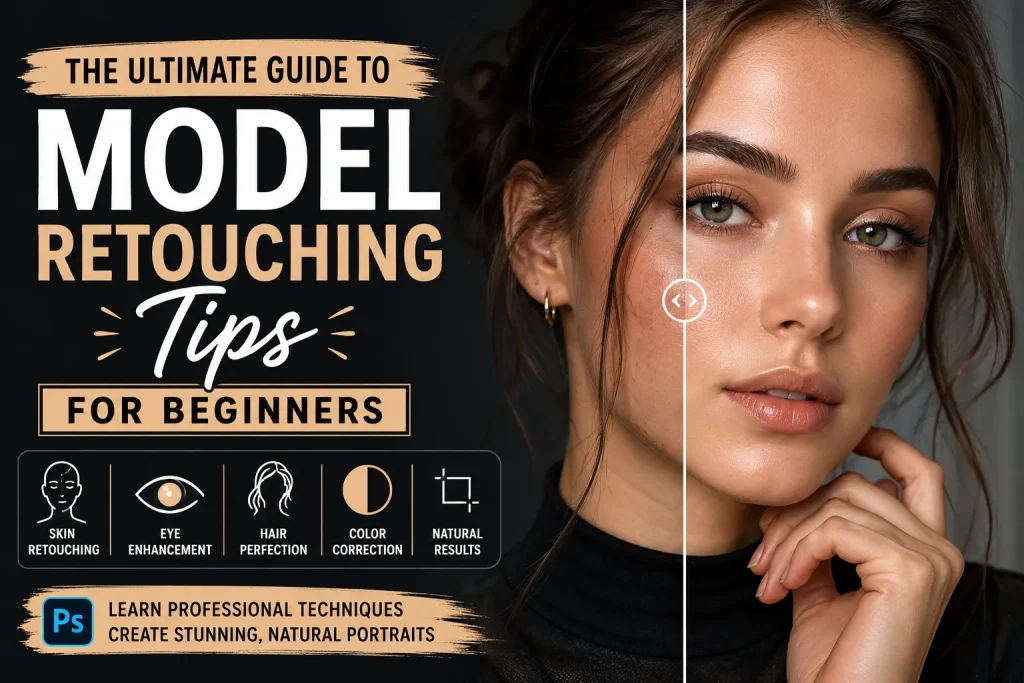
Model photography is everywhere. From fashion magazines and online stores to social media campaigns and personal portfolios, professionally retouched images help create a polished and attractive look. However, many beginners often wonder how professional editors achieve such flawless results without making photos look fake or over-edited.
That is where learning the right Model Retouching Tips becomes important. Retouching is not about completely changing a person’s appearance. Instead, it is about enhancing natural beauty, improving image quality, and creating a professional final result. When done correctly, retouching can make a model look their best while still maintaining a realistic appearance.
In this comprehensive guide, we will walk through essential Model Retouching Tips that every beginner should know. Whether you are just starting your editing journey or looking to improve your current skills, these techniques will help you create better and more professional-looking images.
Retouching may seem difficult at first, but once you understand the fundamentals, the process becomes much easier. By focusing on skin cleanup, color correction, lighting adjustments, and subtle enhancements, you can transform ordinary photographs into stunning professional images. Throughout this guide, we will share practical Model Retouching Tips that you can apply immediately to improve your work.
Understanding Model Retouching
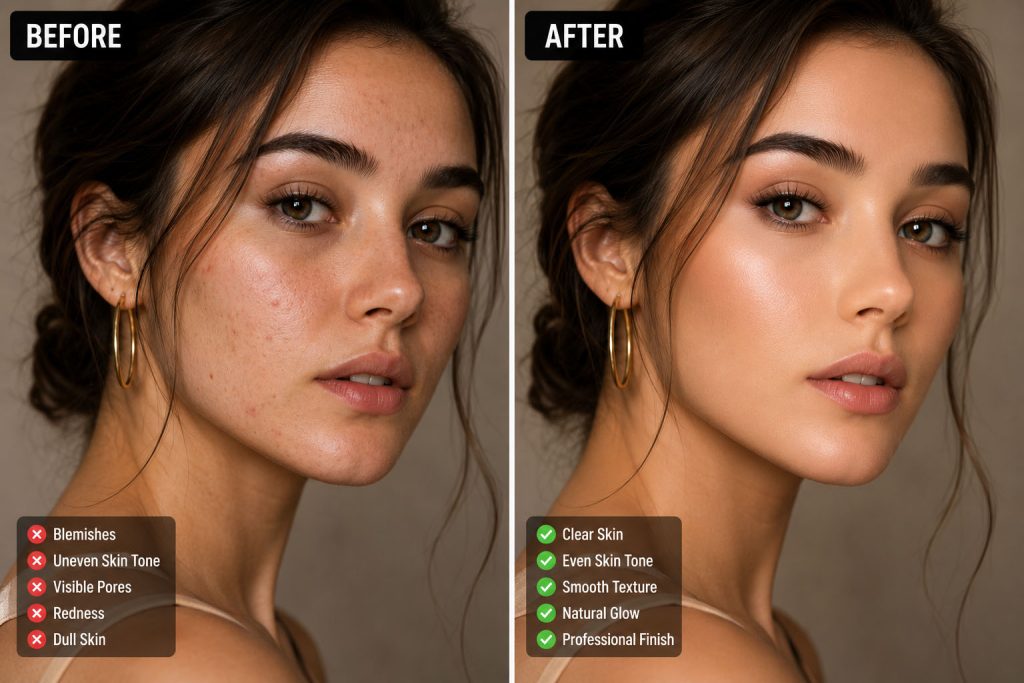
Before diving into advanced techniques, it is important to understand what model retouching actually involves. Model retouching is the process of enhancing a portrait or fashion image while preserving the natural features of the subject.
Many beginners believe retouching means removing every skin texture, wrinkle, or imperfection. In reality, professional retouching focuses on improving the image without making it appear artificial. The goal is to create a balanced and polished look.
One of the most important Model Retouching Tips for beginners is to remember that less is often more. Over-editing can make images appear unrealistic and reduce their professional quality.
Start with High-Quality Images
Successful retouching begins long before opening editing software. High-quality photographs provide a stronger foundation for editing.
Sharp focus, proper exposure, and good lighting make the retouching process significantly easier. Poor-quality images often require excessive corrections, which can reduce image quality even further.
Among the most valuable Model Retouching Tips is learning to work with RAW files whenever possible. RAW images contain more detail and allow greater flexibility during editing. They provide better control over highlights, shadows, color balance, and exposure adjustments.
When starting with quality images, you can spend more time enhancing details rather than fixing major problems.
Master Basic Color Correction
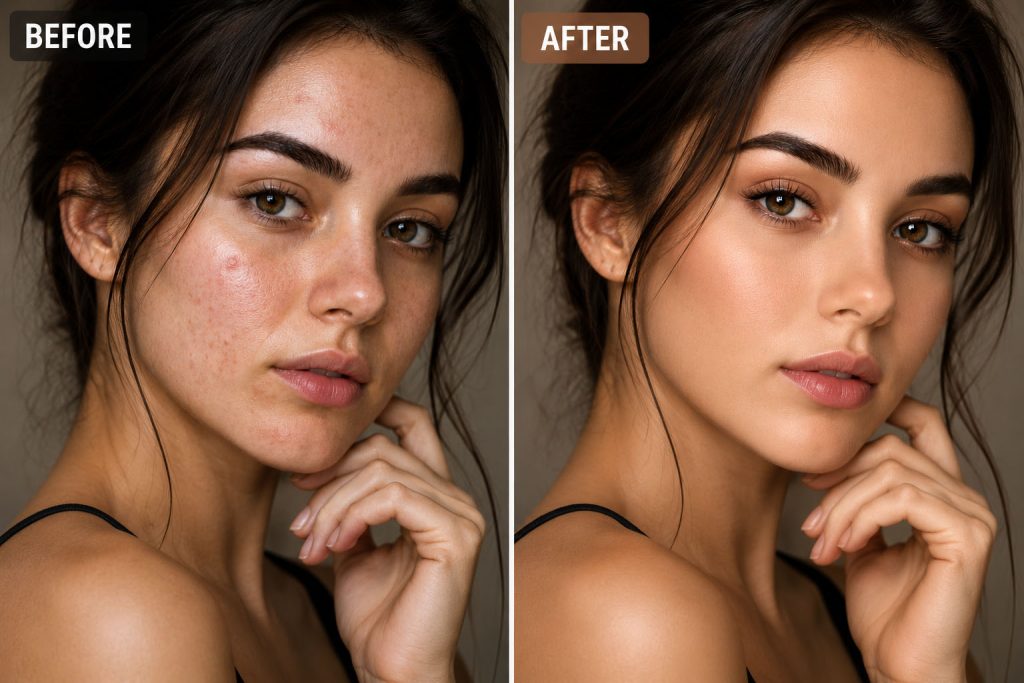
Color correction is one of the first steps in professional retouching. Even beautiful photographs can look unprofessional if the colors appear inaccurate or inconsistent.
Proper white balance helps ensure natural skin tones. Skin should not appear overly orange, blue, green, or pink unless a specific artistic style is intended.
One of the essential Model Retouching Tips is to correct exposure and color before performing detailed retouching work. This creates a clean foundation and allows you to evaluate the image more accurately.
Pay close attention to highlights, shadows, and midtones. Balanced color correction improves the overall quality of the photograph and prepares it for further enhancements.
Learn the Art of Skin Retouching
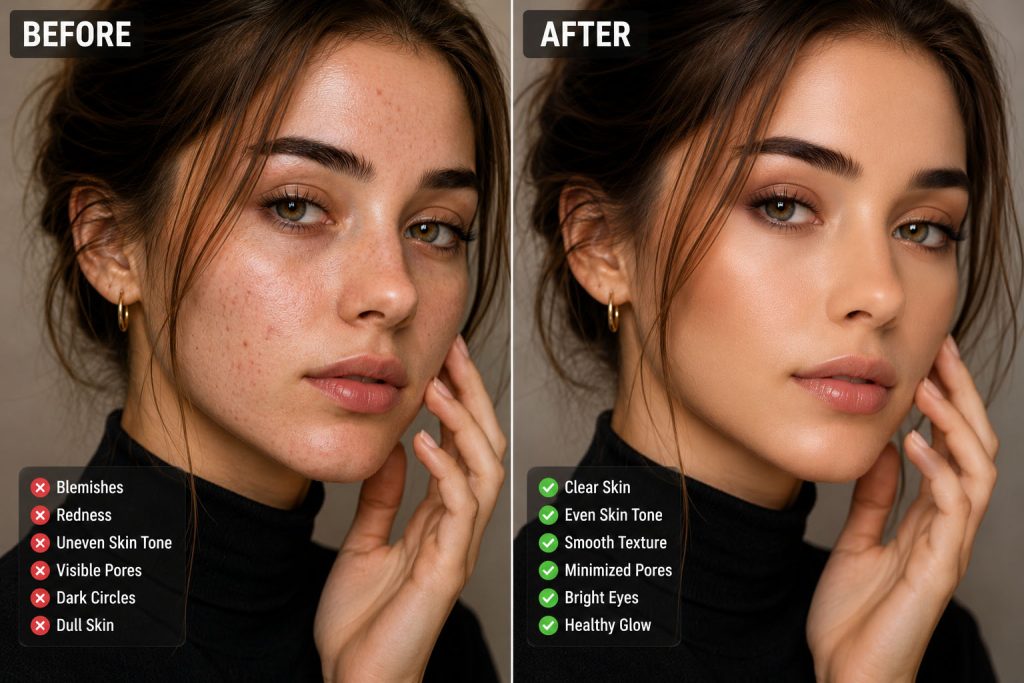
Skin retouching is often the most important part of model editing. However, beginners frequently make the mistake of removing too much texture.
Natural skin contains pores, fine lines, and subtle details. Removing all texture creates a plastic appearance that immediately looks unrealistic.
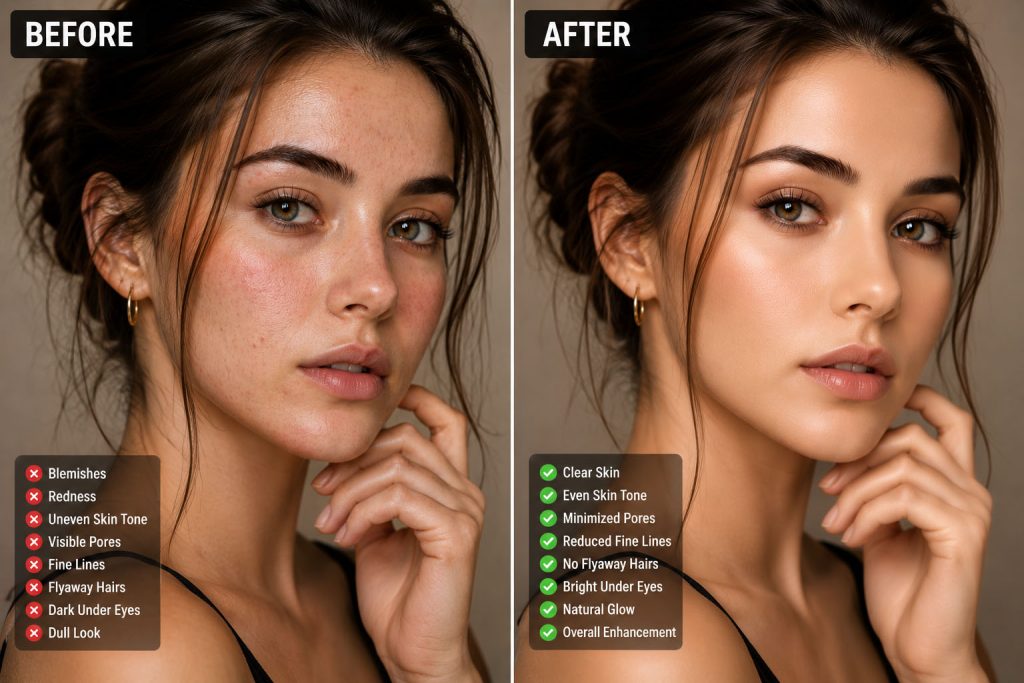
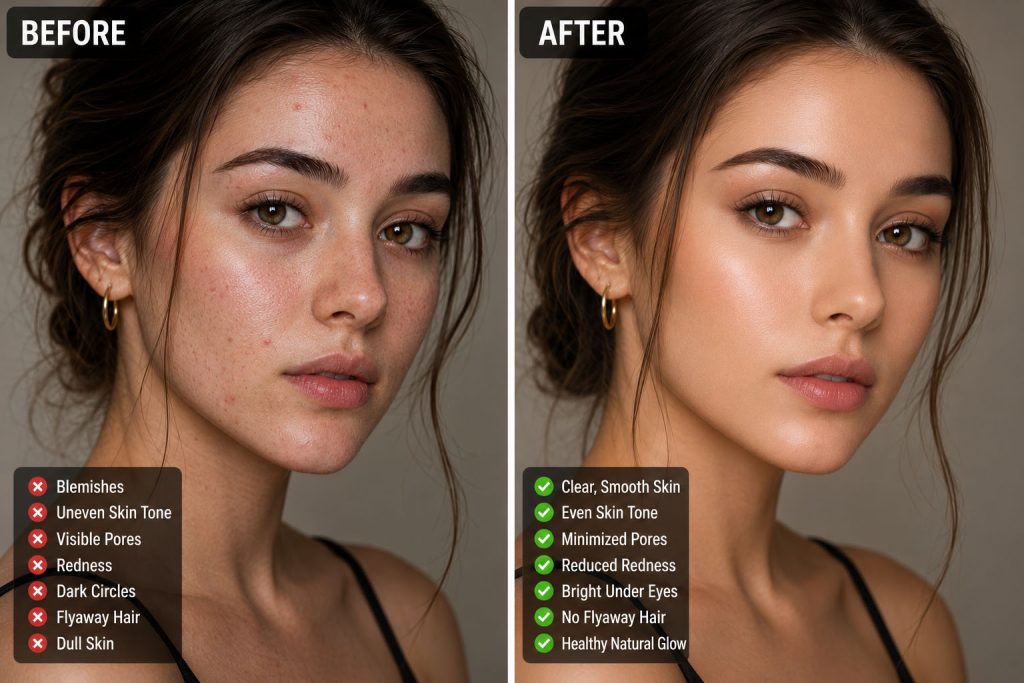
One of the most effective Model Retouching Tips is to remove temporary imperfections only. Blemishes, acne, stray hairs, and minor distractions can be cleaned up while preserving natural skin texture.
Professional retouchers focus on creating smooth yet realistic skin. The goal is healthy-looking skin rather than perfectly flawless skin.
When practicing skin retouching, always zoom out periodically to ensure the image still looks natural from a normal viewing distance.
Understand Frequency Separation
As your skills improve, frequency separation becomes an important technique to learn. This method separates texture from color and tone, allowing editors to work on each independently.
Many professional editors use frequency separation because it helps smooth uneven skin tones while preserving important skin texture.
Among advanced Model Retouching Tips, frequency separation is considered one of the most useful techniques for achieving high-end beauty retouching results.
Beginners should practice this method carefully. Overuse can create unnatural results. The technique works best when applied subtly and combined with other retouching methods.
Use Dodge and Burn for Natural Results
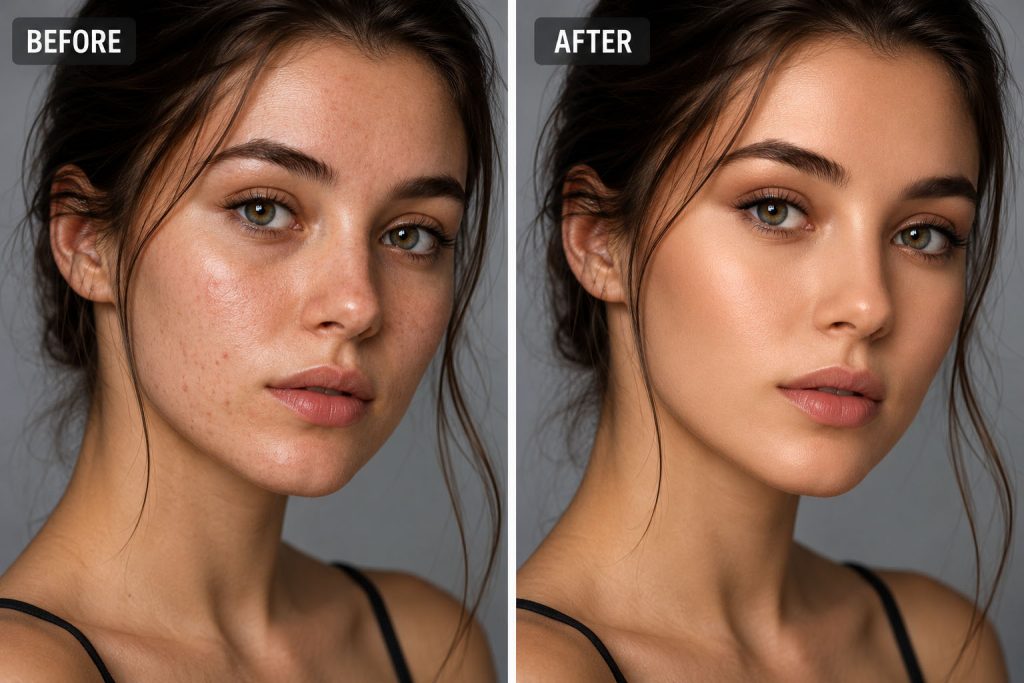
Dodge and burn is a powerful retouching technique that involves lightening and darkening specific areas of an image.
This method helps improve facial contours, smooth uneven skin transitions, and enhance natural features without destroying texture.
Many professional retouchers consider dodge and burn one of the most valuable Model Retouching Tips because it creates realistic improvements that maintain the authenticity of the image.
Instead of relying entirely on blur filters or skin smoothing tools, dodge and burn allows for precise adjustments that preserve detail and realism.
Enhance the Eyes Carefully
Eyes naturally attract attention in portraits. Enhancing them properly can dramatically improve the impact of a photograph.
One of the most useful Model Retouching Tips is to brighten eyes subtly rather than excessively. Overly bright eyes can appear unnatural and distracting.
Focus on improving clarity, enhancing catchlights, and increasing contrast slightly. The goal is to make the eyes look vibrant while maintaining their natural appearance.
Be careful not to oversaturate eye color. Small improvements often create the strongest results.
Improve Hair Without Overdoing It
Hair retouching is another important aspect of model editing. Stray hairs can create distractions and reduce the polished appearance of an image.
Using healing and cloning tools, you can remove flyaway hairs while preserving the natural flow of the hairstyle.
One of the practical Model Retouching Tips for beginners is to avoid removing every loose strand. Some natural variation helps maintain realism and prevents the image from looking overly processed.
Hair enhancement should complement the overall image rather than become the focus of attention.
Perfect the Skin Tone
Even after basic color correction, skin tones may still require refinement.
Uneven skin coloration often appears around the forehead, cheeks, nose, and neck. Careful adjustments can create a smoother and more balanced complexion.
One of the most important Model Retouching Tips is to maintain realistic skin colors throughout the editing process. Natural skin contains subtle color variations that should not be completely eliminated.
Professional retouchers work to reduce distractions while preserving authentic characteristics.
Enhance Facial Features Naturally
Many beginners become tempted to dramatically alter facial features. However, successful retouching usually focuses on enhancement rather than transformation.
Subtle improvements to facial contours, jawlines, lips, and eyebrows can strengthen an image without changing the model’s identity.
Among the most valuable Model Retouching Tips is respecting the unique characteristics that make each person recognizable. Excessive reshaping often leads to unrealistic and unprofessional results.
Natural enhancements typically create more attractive and believable images.
Pay Attention to Lighting
Lighting adjustments can dramatically improve a portrait.
Even after a photograph has been captured, careful editing can help balance shadows and highlights. Proper lighting adjustments create depth, dimension, and visual interest.
One of the professional Model Retouching Tips is to guide the viewer’s attention using light. Brightening important areas and slightly darkening distractions can improve image composition and storytelling.
Thoughtful lighting enhancements often produce more impact than aggressive skin retouching.
Retouch Clothing and Accessories
Model retouching extends beyond the face. Clothing, jewelry, and accessories also contribute to the overall appearance of the image.
Wrinkles, dust, lint, and minor imperfections can distract viewers and reduce the professional quality of a photograph.
Useful Model Retouching Tips include cleaning up clothing details, correcting fabric wrinkles when appropriate, and ensuring accessories appear polished and attractive.
Attention to these smaller details often separates amateur editing from professional work.
Improve Background Elements
Background distractions can weaken even the strongest portrait.
Objects, clutter, unwanted shadows, and visual distractions may pull attention away from the model.
One of the practical Model Retouching Tips is to simplify the background whenever possible. Removing distractions helps create stronger visual focus and improves the overall composition.
Background adjustments should support the image rather than compete with the subject.
Avoid Common Beginner Mistakes
Many new editors make similar mistakes when learning retouching.
Over-smoothing skin is perhaps the most common problem. Excessive sharpening, extreme color grading, and unrealistic facial modifications are also frequent issues.
Important Model Retouching Tips include regularly comparing your edited image with the original photograph. This helps ensure that your changes remain realistic and beneficial.
Taking breaks during editing can also improve judgment. Fresh eyes often reveal problems that were not noticeable during long editing sessions.
Develop a Consistent Workflow
Consistency is essential for producing professional results.
A structured workflow helps ensure that important editing steps are not overlooked. Most professional editors begin with color correction, exposure adjustments, and basic cleanup before moving into detailed retouching.
One of the smartest Model Retouching Tips is to create a repeatable editing process. Consistent workflows improve efficiency, maintain quality, and help develop professional habits.
Over time, this approach allows editors to produce better results in less time.
Practice Retouching with Purpose
Retouching is a skill that improves through repetition and experience.
Every image presents unique challenges. Some may require extensive skin correction, while others may benefit more from lighting adjustments or color refinement.
Among the most effective Model Retouching Tips is to study professional work and analyze why certain edits succeed. Understanding visual balance, realism, and subtle enhancement will strengthen your editing abilities.
Practice different techniques regularly and focus on gradual improvement rather than perfection.
Understanding Ethical Retouching
Modern audiences increasingly value authenticity. Ethical retouching focuses on enhancing photographs while respecting the natural appearance of the model.
Professional editors recognize the importance of preserving individuality and avoiding unrealistic beauty standards.
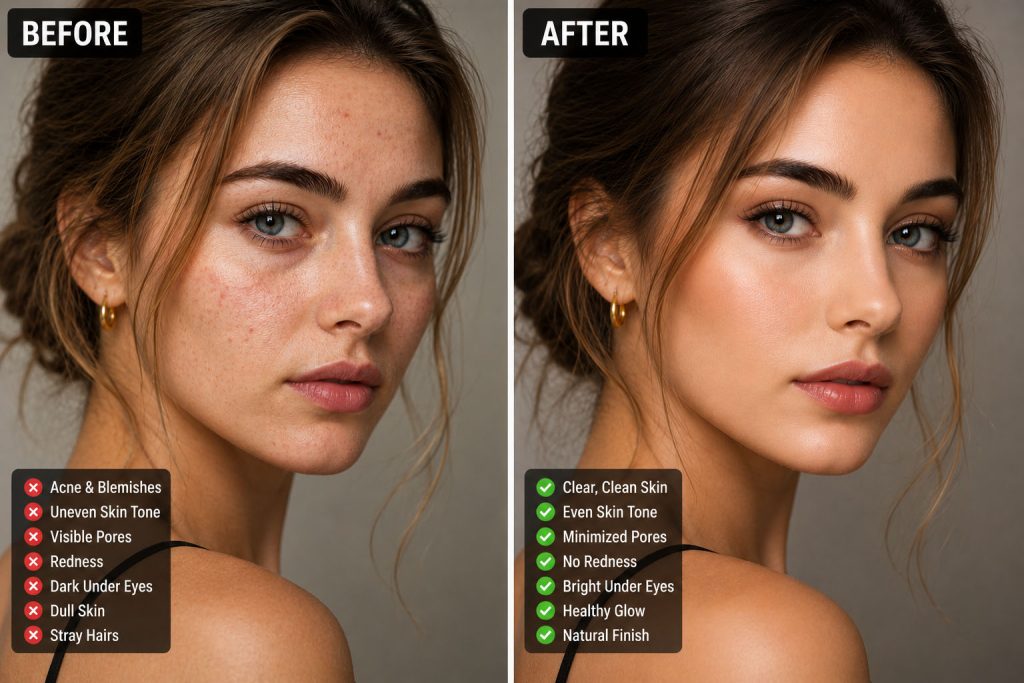
One of the modern Model Retouching Tips is to use editing tools responsibly. Retouching should improve image quality without creating misleading representations.
Authentic and natural-looking results often resonate more strongly with viewers than heavily manipulated images.
Final Thoughts on Model Retouching Tips
Learning professional retouching takes time, patience, and practice. Beginners should focus on mastering the fundamentals before moving on to advanced techniques. Understanding skin retouching, color correction, dodge and burn, lighting enhancement, and natural feature refinement creates a strong foundation for long-term success.
The best Model Retouching Tips emphasize subtle improvements rather than dramatic changes. Professional-quality retouching enhances natural beauty, preserves important details, and creates visually appealing images that remain realistic.
As you continue developing your skills, remember that every edit should serve the overall image. Small, thoughtful adjustments often produce the most impressive results. By applying these Model Retouching Tips consistently, you will steadily improve your retouching abilities and create images that look polished, professional, and visually compelling.
Need Professional Model Retouching Services?
At Graphics Revive, we specialize in high-end image editing and professional retouching services for photographers, fashion brands, eCommerce businesses, agencies, and creative professionals. Whether you need natural skin retouching, beauty enhancement, color correction, background cleanup, or advanced portrait editing, we help transform your images into polished, publication-ready visuals.
We focus on maintaining realistic results while enhancing every important detail. Our goal is to make every image look professional, attractive, and impactful without losing its natural character.
If you are looking for reliable and high-quality image editing solutions, Graphics Revive is ready to help you achieve stunning results with expert retouching services tailored to your needs.
