
If you’re new to streaming, designing your channel’s look can feel overwhelming-especially when it comes to creating emotes. Emotes are one of the biggest ways you express your personality on Twitch, but getting them into the perfect size often becomes confusing. That’s why having the right twitch emote resizer matters so much. A good tool doesn’t just shrink your image-it keeps the quality sharp, ensures correct formatting, and prepares your emotes for smooth uploading to Twitch.
Many beginners search for a simple and reliable twitch emote resizer that doesn’t make the process complicated. And honestly, that’s exactly what you should expect: a tool that is easy to use, delivers clean-quality emotes, and saves time. This article walks you through how a twitch emote resizer works, what features to look for, and how to choose the best one if you’re just starting out. You’ll also learn how Graphics Revive-our professional editing service-can help you create polished emotes that truly stand out.
Before we dive into the options, remember this: your emotes are part of your brand. A blurry or poorly sized emote can make your channel look unprofessional. The right twitch emote resizer ensures everything you upload feels crisp, fun, and ready to impress your audience. Whether you want something free and quick or something professionally refined, you’ll leave here knowing exactly what to choose.
Why You Need a Twitch Emote Resizer as a Beginner
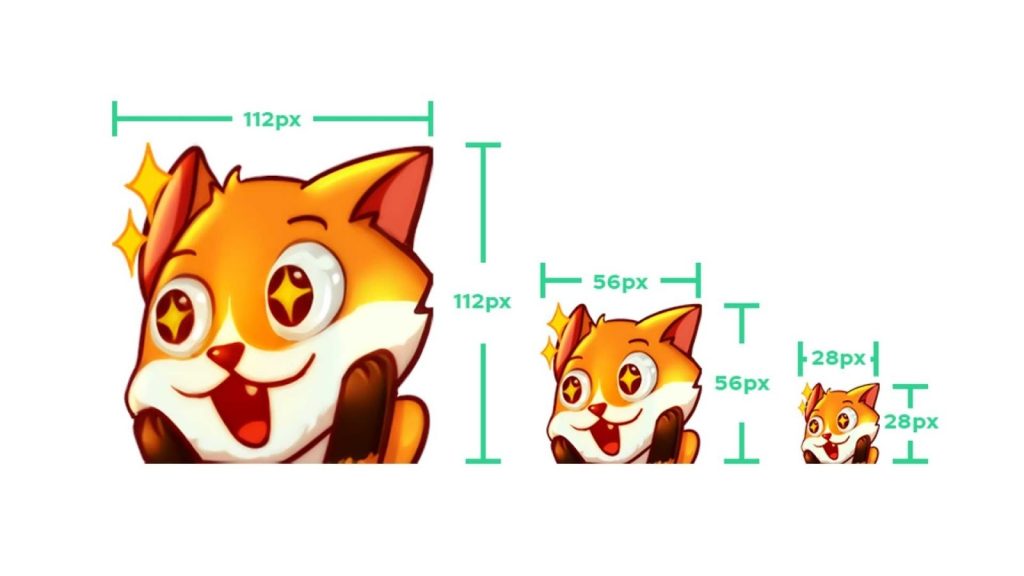
For new streamers, resizing might sound like a tiny technical step-but it’s actually one of the most important parts of creating emotes. Twitch requires very specific sizes: 112×112, 56×56, and 28×28 pixels. If your images don’t meet these requirements, Twitch either rejects them or compresses them harshly, making them look blurry or pixelated. A dedicated twitch emote resizer removes that headache completely.
A quality resizer keeps your image sharp while reducing the size. This matters because small images often lose detail, especially when the original artwork is complex. Good tools use optimized scaling techniques so that even tiny 28×28 versions remain readable. As a beginner, you don’t want to waste hours re-uploading or testing different formats-your energy should be going into creating content, not fighting technical issues.
Another reason a twitch emote resizer is essential is consistency. If you upload multiple emotes and each one looks like a different style or quality level, it affects your branding. Your viewers notice consistency; it helps your channel feel polished and trustworthy. A resizer keeps every version uniform so your emotes feel connected, professional, and visually appealing.
Finally, using a resizer simplifies workflow. Instead of manually adjusting each image or dealing with complicated design software, you can resize instantly with a few clicks. This is especially helpful if you’re creating a full emote pack for subscribers. When you’re new, saving time is everything-and the right tool gives you a huge advantage.
Key Features to Look for in the Best Twitch Emote Resizer
Choosing the right twitch emote resizer is easier when you know what features actually matter. Many tools claim to be the best, but beginners should look for simplicity, speed, and quality.
The first feature is clean, high-quality resizing. Some tools shrink images but lose important details in the process. An ideal twitch emote resizer should maintain sharpness even at 28×28 pixels. If your emote includes text or tiny facial expressions, this becomes extremely important.
The second feature is automatic formatting. Twitch requires your emotes in PNG format with transparent backgrounds. A good resizer automatically keeps transparency intact and exports the image correctly so you don’t have to dig through extra settings. This is crucial for emotes, since a white box around your image instantly ruins the aesthetic.
Another important feature is batch resizing. If you plan to upload multiple emotes, resizing them one-by-one takes forever. A beginner-friendly twitch emote resizer should let you upload one file and automatically generate all three required sizes. This saves a ton of time and keeps the output consistent.
Finally, ease of use matters more than anything. You should not need design experience to use a beginner-friendly tool. A clean interface, drag-and-drop options, and automatic export settings can make the whole process feel effortless-especially when you’re still learning the streaming world.
How Beginners Can Avoid Common Emote Mistakes
Even with a good twitch emote resizer, many new streamers make common mistakes that affect how their emotes look on Twitch. Understanding these ahead of time helps you create better results from the start.
One of the most common mistakes is using images that are too detailed. Tiny emote sizes can’t display complex drawings well. Before resizing, simplify your artwork to make sure it still reads clearly at smaller dimensions. This is where testing your emotes at 28×28 becomes essential.
Another mistake is ignoring color contrast. If your emote colors blend into each other, viewers can’t recognize what it is-especially in small chats. A proper twitch emote resizer helps retain contrast, but the original artwork must have strong color separation too.
Beginners also often stretch or distort images accidentally. When resizing manually, the proportions can get messed up. A dedicated tool prevents this by locking the aspect ratio automatically, ensuring your emote stays true to the original design.
Lastly, many streamers skip optimizing their images. Large emote files slow down upload times, and sometimes Twitch compresses them automatically. A good twitch emote resizer exports optimized files that stay lightweight without losing quality, preventing unwanted compression artifacts.
Why Graphics Revive Is the Perfect Choice for Professional-Quality Emotes
If you want emotes that look polished, clean, and attention-grabbing, Graphics Revive is here to help. While a twitch emote resizer handles sizing, professional design ensures your emotes actually shine. At Graphics Revive, we specialize in high-quality image editing that can bring your emote ideas to life in the best possible way.
Our experts understand the technical and artistic sides of Twitch emotes. We refine colors, sharpen tiny details, enhance outlines, and prepare images to ensure they look perfect at every emote size. Even the best twitch emote resizer can only resize what you give it-so starting with professionally edited artwork gives you a major advantage.
Another big benefit is customization. Many new streamers struggle to turn their ideas into actual emotes. Graphics Revive helps you develop clean, expressive artwork that matches your personality and keeps your brand consistent. Whether you want cute characters, meme-style reactions, or sleek logos, we help you design visuals that viewers immediately recognize.
We also offer fast turnaround times, unlimited revisions, and bulk emote pack support. This gives you the flexibility to experiment without worrying about technical issues. And because we work with creators daily, we know exactly what Twitch requires-so your uploads will be smooth and stress-free.
Graphics Revive is more than just an editing service-we’re a partner in helping your channel grow. With professional-quality visuals and flawless sizing, your emotes become memorable, clickable, and worth subscribing for.
How a Twitch Emote Resizer Works Behind the Scenes
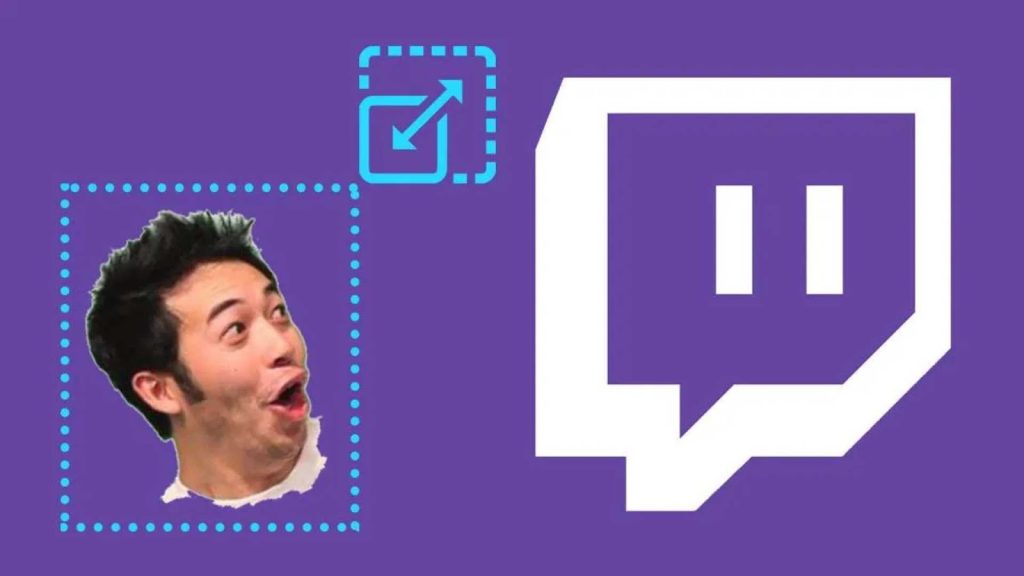
To appreciate why choosing the right twitch emote resizer matters, it helps to understand how these tools work behind the scenes. When you upload an image, the tool analyzes the resolution, aspect ratio, colors, and transparency layers. A high-quality resizer preserves these attributes while reducing the dimensions without destroying clarity. This is why some tools produce crisp results while others leave your emotes looking blurry or pixelated.
A beginner-friendly twitch emote resizer uses intelligent scaling algorithms. That means the tool doesn’t simply shrink the image-it smooths edges, sharpens important details, and prevents color banding. Transparent backgrounds are especially sensitive during resizing, and a good tool retains transparency perfectly so your emote blends seamlessly in Twitch chat.
Another important element is export precision. Twitch requires exact pixel sizes, so a proper twitch emote resizer ensures the final outputs are formatted correctly every single time. This saves beginners from manually rechecking errors or dealing with rejected uploads. Essentially, the tool handles all the technical complications so you can focus on creativity rather than problem-solving.
Understanding Twitch’s Emote Size Requirements
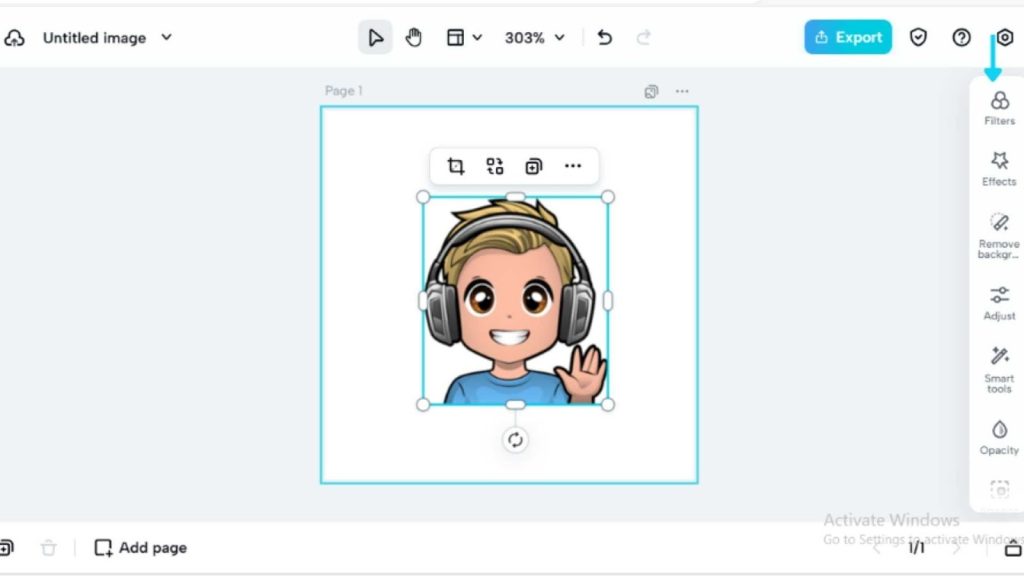
Before choosing the best twitch emote resizer, beginners should clearly understand Twitch’s size requirements. Twitch uses three standard dimensions for emotes:
- 112 × 112 pixels (Large)
- 56 × 56 pixels (Medium)
- 28 × 28 pixels (Small)
These sizes ensure that emotes scale properly depending on where they appear in chat. But the challenge is that shrinking your artwork down to such small resolutions can destroy detail. That’s why a beginner-friendly twitch emote resizer is crucial-it creates all three sizes without distortion.
You also need to remember that Twitch requires PNG files with transparent backgrounds. Many beginners upload images in JPG or formats that don’t support transparency, causing white or colored boxes around the emote. A proper resizer prevents that mistake automatically.
Even though these sizes sound tiny, each one plays a huge role in defining your visual brand. Viewers interact with emotes constantly, so having crisp and clean versions for every size shows professionalism and attention to detail. Your emotes should look great whether they appear in a subscriber chat, a hype moment, or on your channel page.
Free vs Paid Twitch Emote Resizers
While searching for a twitch emote resizer, you’ll find two main categories: free tools and paid tools. Each has its benefits depending on what you’re looking for as a beginner.
Free tools are great for new streamers because they offer basic resizing without any cost. They’re simple, fast, and accessible from any device. However, many free resizers do not maintain the best image quality, especially when shrinking complex designs or images with small details. Some even compress your file, resulting in blurry or washed-out emotes.
Paid tools-or premium resizers-often include advanced scaling technology that preserves details beautifully. These tools usually offer batch resizing, higher output control, and improved color preservation. If you’re serious about your Twitch brand or planning to upload many emotes, premium options can be worth it.
But even the best twitch emote resizer has one limitation: it cannot improve poorly drawn or low-quality images. That’s where professional editing becomes important, and where Graphics Revive shines. You can use a resizer to produce correct dimensions, but for flawless, vibrant, and expressive emotes, expert refinement is almost always necessary.
Top Online Options for Twitch Emote Resizing
Here are some of the best online tools beginners can use when looking for a simple and reliable twitch emote resizer. These tools are easy, fast, and work directly from your browser without installing anything.
Kapwing Online Editor
Kapwing is one of the easiest tools for beginners. You upload your image, adjust the canvas to Twitch’s emote sizes, and export as a transparent PNG. It’s extremely user-friendly, supports background removal, and makes resizing quick for people who don’t want complex software.
Ezgif Image Resizer
Ezgif is great for creators who want more control. It supports PNG transparency, gives flexible resizing options, and includes an image optimizer that can help reduce file sizes for Twitch’s upload limits. It’s simple but powerful, especially for small graphics like emotes.
Pokecut Emote Resizer
Pokecut offers a dedicated Twitch emote resizing tool. It has preset Twitch sizes, supports many formats (PNG, JPG, WebP, BMP), and produces fast results. Great for beginners who want a tool made specifically for emotes.
Streamfrogs Emote Resizer
Streamfrogs automatically generates all three required Twitch emote sizes from a single image. This is perfect if you don’t want to resize each dimension manually. It’s quick, clean, and ideal for streamers who want fast production.
Why Graphics Revive Is the Best Partner for Emote Creation
Graphics Revive helps beginners elevate their Twitch branding by offering professional editing that complements any twitch emote resizer you choose. While resizing tools prepare your images for upload, our team ensures that the artwork itself is top-tier before you even get to that step.
We enhance your emotes by sharpening outlines, improving color contrast, cleaning up edges, and making sure the character expressions remain readable even at 28×28 pixels. These tiny details matter because Twitch compresses images slightly during the upload process-starting with high-quality artwork ensures your emotes look crisp afterward.
Graphics Revive also helps with consistency. Many beginners create emotes at different times using different software, resulting in mismatched styles. Our editors unify your emote pack so everything feels connected, clean, and visually appealing. This level of polish makes your channel look more professional and encourages viewers to subscribe.
Another advantage is personalization. Instead of generic, cookie-cutter emotes, Graphics Revive works with your unique ideas-whether they’re funny, emotional, cute, or bold. We turn sketches, screenshots, or rough concepts into fully refined emotes you’ll be proud to use. And unlike automated tools, we offer unlimited revisions until you’re completely satisfied.
When paired with a great twitch emote resizer, our service gives beginners the best combination: perfect sizing plus professional artwork. Together, you get emotes that viewers instantly connect with and love to use.
Step-by-Step Workflow for Perfect Emotes Using a Twitch Emote Resizer
A smooth emote creation process usually looks like this:
First, you start with a high-quality design. Whether you make it yourself or work with Graphics Revive, you want artwork that is clear, expressive, and simple enough to read at very small sizes.
Next, upload your artwork to your chosen twitch emote resizer. The tool generates the three required sizes: 112, 56, and 28 pixels. A good resizer will keep transparency intact, maintain clarity, and optimize the file outputs.
Then, preview your emotes. This step is crucial. Many beginners forget to zoom out and see how the emote looks at real chat size. If something looks unclear or messy, Graphics Revive can refine the details so the final version appears clean and readable.
Finally, upload your emotes to Twitch. A proper twitch emote resizer ensures Twitch won’t reject your files for size errors or formatting issues. Once uploaded, your audience can start using them immediately-celebrating hype moments, reacting to stream highlights, or showing love for your personality.
Developing a workflow early helps you stay organized and consistent. And with the right tool plus professional editing support, your emotes will stand out effortlessly among other creators’.
How Graphics Revive Helps Streamers Build a Strong Brand
A great brand isn’t just about colors and logos-it’s about how your visuals make people feel. Emotes play a huge part in your streaming identity, and Graphics Revive is dedicated to helping beginners build that identity with confidence.
Many new streamers underestimate how important visual quality is when growing a channel. Clean, attractive emotes encourage viewers to subscribe. Memorable artwork helps fans feel more connected to you. And consistent design builds recognition across social media, channel banners, panels, and merch.
Graphics Revive supports streamers with:
• Professional editing tailored for small-scale graphics
• Fast delivery so you can upload your new emotes quickly
• Revision-friendly service to perfect every detail
• Branding guidance to maintain a unified visual style
• High-quality exports designed for any twitch emote resizer
Instead of worrying about technical issues or design problems, you get to focus on content, community-building, and streaming-letting us handle the visual side of your brand.
Whether you’re at the start of your streaming journey or rebranding your channel, Graphics Revive has everything you need to look sharp, polished, and ready for growth.
Final Thoughts: Choosing the Best Twitch Emote Resizer as a Beginner
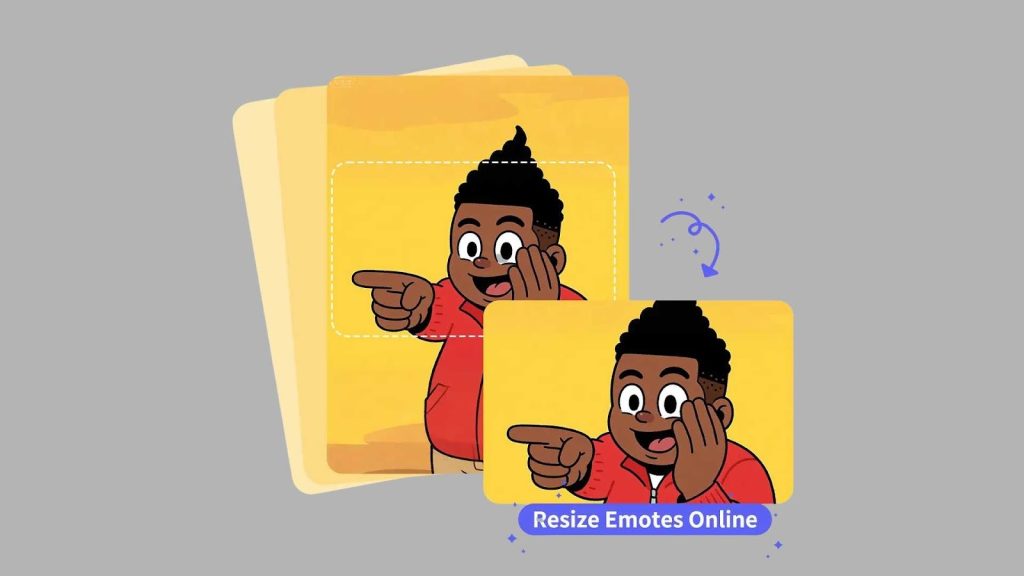
Picking the right twitch emote resizer makes your streaming journey much easier. As a beginner, your goal is to create emotes that are simple, clean, expressive, and easy to identify in chat. A good resizer helps you format your artwork properly without losing quality or dealing with unnecessary complications.
But remember: resizing is only one part of the process. High-quality artwork is the foundation of excellent emotes, and that’s where Graphics Revive truly stands out. We help polish your designs, fix problem areas, improve details, and prepare your images so they look amazing in every emote size.
When you combine a reliable twitch emote resizer with expert editing support, you get the best possible outcome-professional-quality emotes that elevate your brand, engage your community, and make your Twitch channel look like a place viewers want to stay.
If you’re ready to create emotes that feel vibrant, expressive, and perfectly optimized, Graphics Revive is here to help. Let us enhance your visuals while you focus on streaming, connecting, and growing your audience.
